Bundled · works offline
The infinite canvas
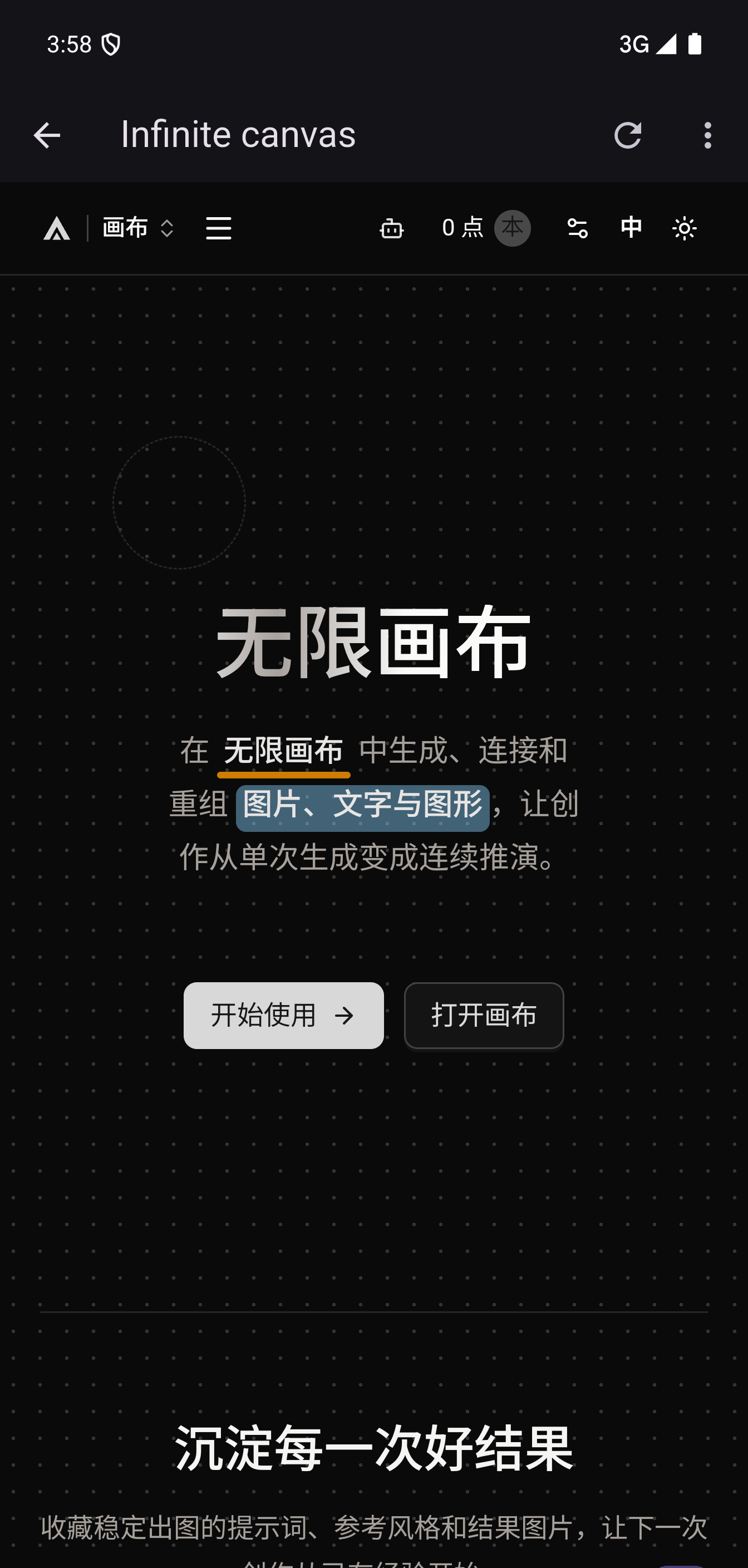
Prompt, connect and recompose on an endless board. The canvas ships inside the app, so it opens even when the network doesn't.
DESKTOP + ANDROID · v1.0.0
DramaPie Box turns your own Google Colab GPU into a private AI video studio — an infinite canvas, an OpenAI-compatible local API, and every frame stays on your machine.
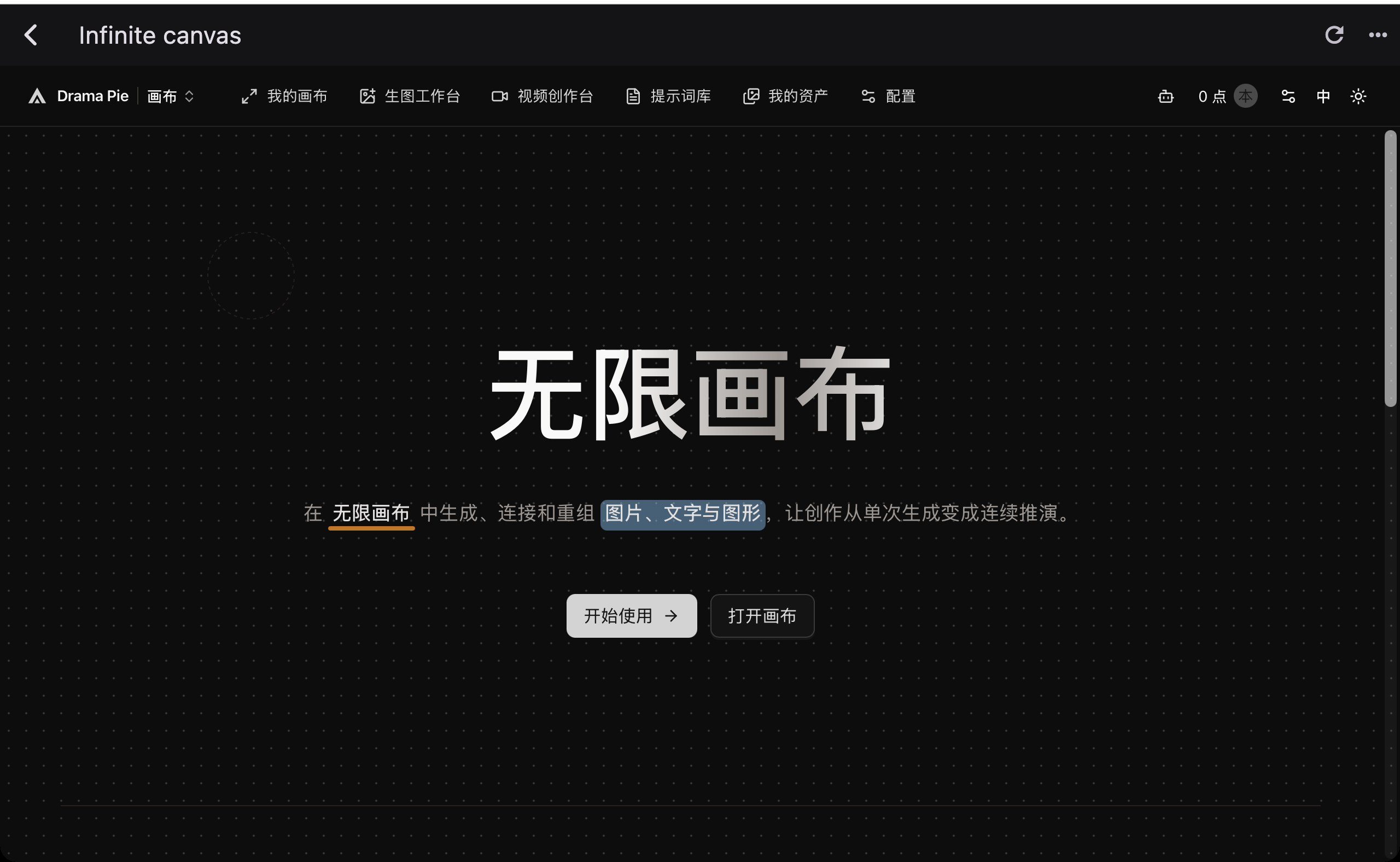
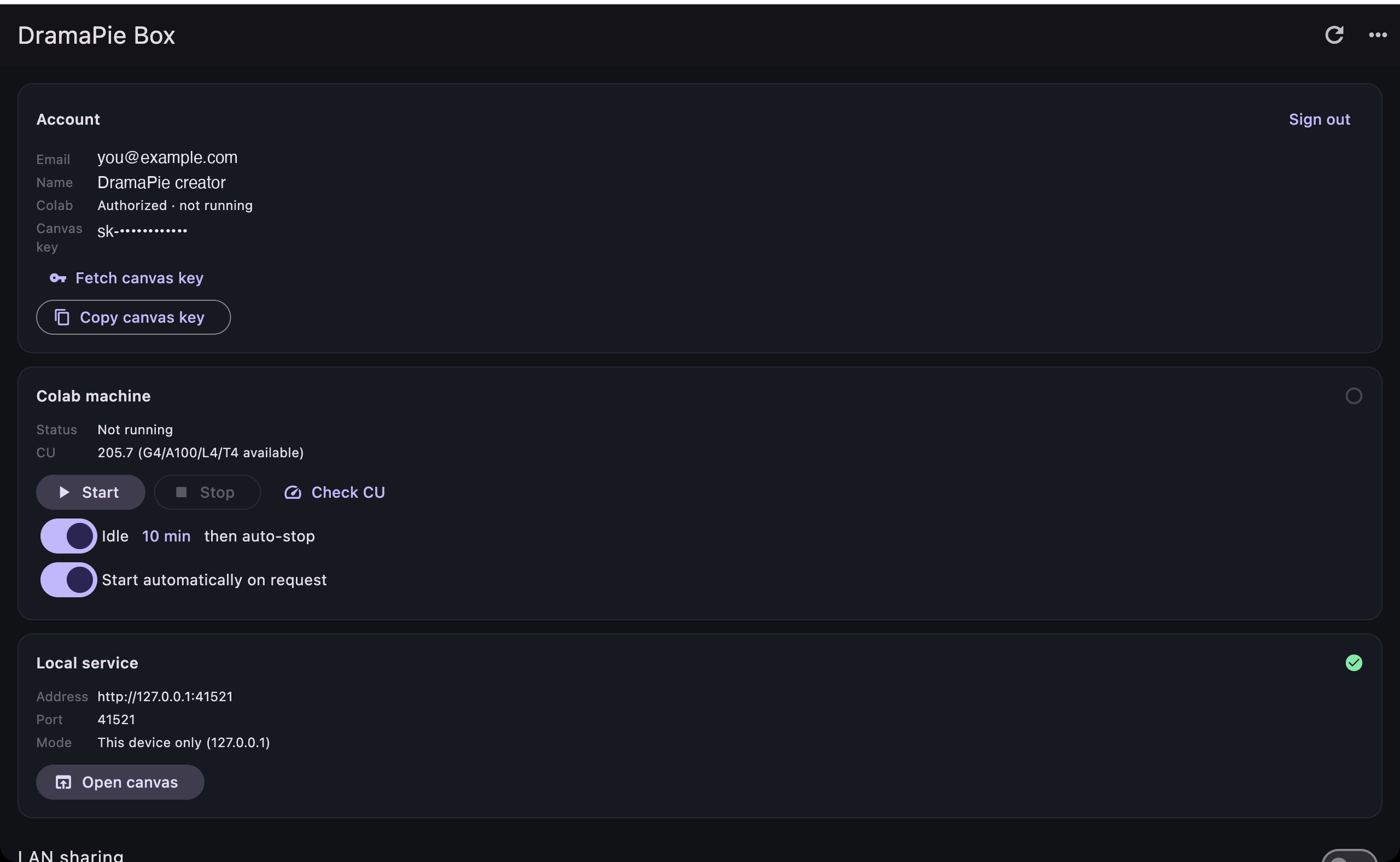
/v1/models 200 DramaPie Box on macOS — control panel and canvas in one window.
01 — One box
A control room for your GPU, a canvas for the work, and a local API for everything else.
Prompt, connect and recompose on an endless board. The canvas ships inside the app, so it opens even when the network doesn't.
A real /v1 endpoint on loopback. Point any OpenAI-compatible client at it and queue video jobs on your own GPU.
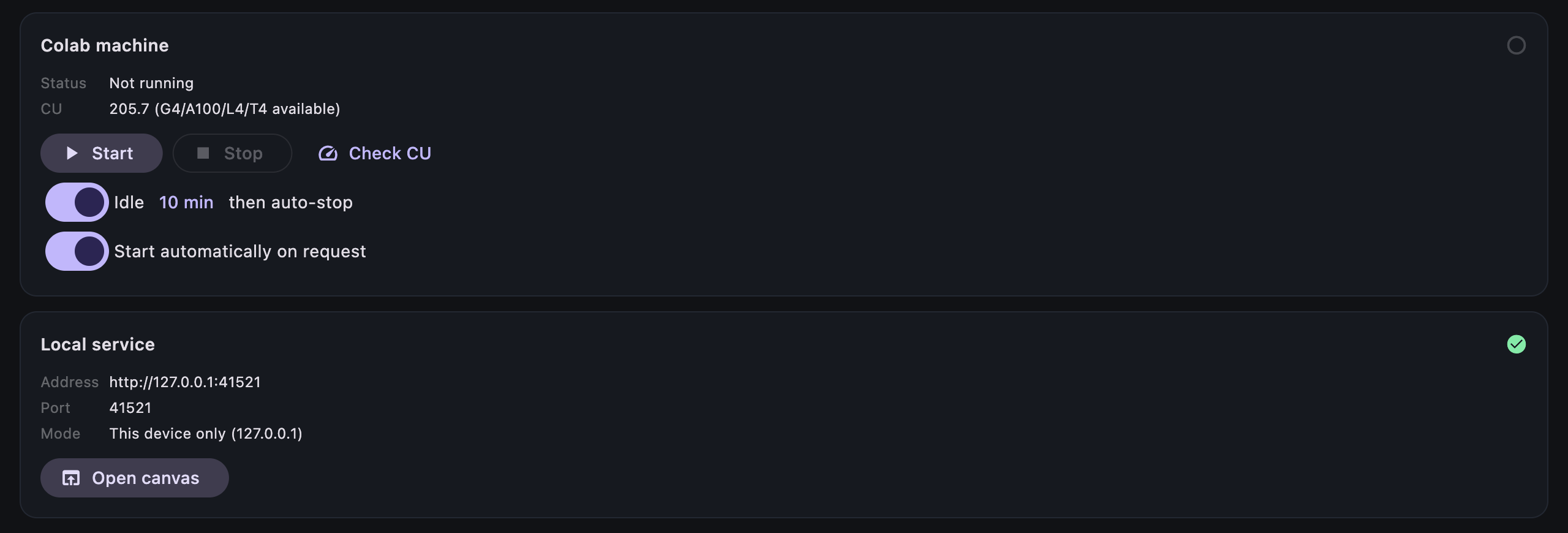
DramaPie Box assigns a GPU, uploads the runtime, waits for the service and stops the machine when it goes idle.
02 — Local first
Your Google token never leaves the system keychain. Prompts and clips are handled by the gateway running on your own computer. Nothing is routed through a DramaPie server unless you deliberately switch to cloud mode.
03 — First run
The first boot takes about 45–90 seconds. After that it is one click.
One consent screen connects your account and provisions a canvas key. No password to invent.
The app assigns a GPU, uploads the video runtime and waits until the local service is serving.
Address and key are already filled in. Prompt, generate, download — the clip comes back through your own /v1.
GPU availability depends on your Colab plan and current capacity. The app falls back automatically.
04 — Inside
Captured from the shipping build on macOS and Android.
05 — Download
Same app, same canvas, same local API. Pick the machine you are on.
Version 1.0.0 (build 21)
Universal .dmg
macOS 10.15+ · Apple Silicon & Intel
25.0 MB
Download macOSOpen the DMG, drag DramaPie Box to Applications, then launch it.
64-bit installer
Windows 10 / 11 · x64
TBD
Download WindowsWindows may show SmartScreen because this build is not code-signed. Choose “More info” → “Run anyway”.
APK · sideload
Android 8.0+ · arm64
57.8 MB
Download AndroidAllow installs from your browser when prompted. The APK uses the same package ID as the beta.
Verify with `shasum -a 256 <file>` (macOS) or `certutil -hashfile <file> SHA256` (Windows).
06 — Questions
The app is free. Local generation uses your own Google Colab compute, so there is no DramaPie subscription. Cloud mode spends your DramaPie points instead.
A Google account with Colab access is enough to sign in. Faster GPUs such as G4 or A100 depend on your Colab plan and live capacity; the app falls back to L4 or T4 when it can't get one.
On your machine and inside the canvas. Finished clips are downloaded through the local API — they are not uploaded to us.
The canvas opens offline because it is bundled. New generations need Colab, so an internet connection is required to make clips.
It shouldn't. The DMG is signed with a Developer ID certificate and notarized by Apple. If Gatekeeper still complains, re-download the file and open the app from Applications.
The Windows build is not code-signed yet. Choose “More info” → “Run anyway”, or build from source. WebView2 is required and is already present on most Windows 10/11 machines.
Yes. Turn on LAN sharing and the app shows a local address plus a QR code. Only /v1 is exposed, protected by a separate token you can reset.
English and Chinese. The app follows your system language on first launch and can be switched from the menu at any time.